Skip to content

Exercises,your own too

A catalog that shows the movement and, next to it, the exercises you use: create them with photos and steps, give them to your athletes and pass them to a colleague in a file.

Exercises

+ New category

Running form

AllGait retrainingDrillsStrengthBodyweight

Drills

Coordination and warm-up exercises: not proven corrections to your form.

Wall drill

2–3 × 8–10 per leg

Drill

A-skip

2–3 × 20–30 m

Drill

Bodyweight YOURS

Edit

Leg and hip strength, no equipment.

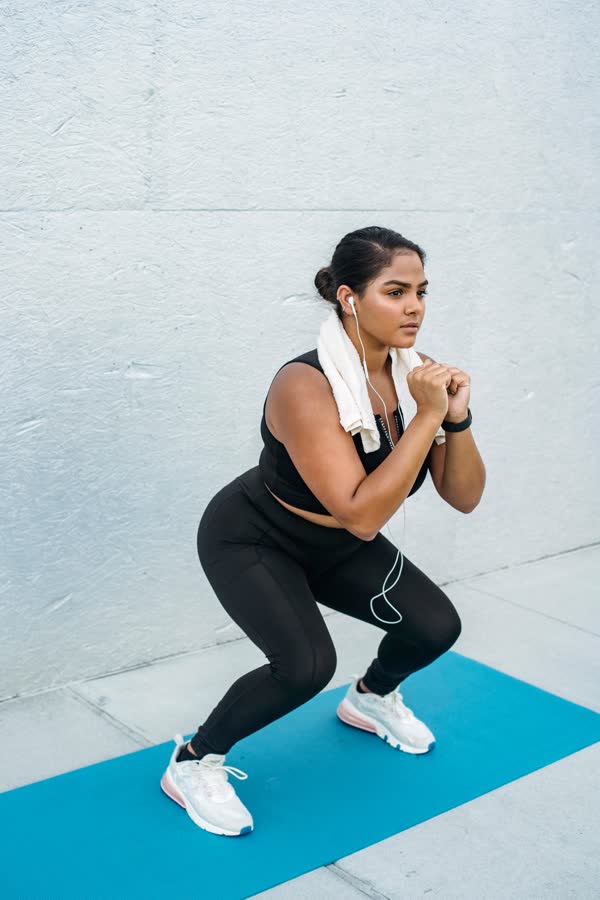
Bodyweight squat

3 × 12

Bodyweight

+New exercise
The catalog exercises aren’t still photos: a figure repeats the movement of a real person. In orange, the parts doing the work, named under the figure.

Each card says when it may help, the dose, what to do, what to watch for and how strong the evidence is. The catalog is the same for everyone and can’t be edited.

An analysis only suggests something when studies support it, and first the app asks whether you have pain or a recent injury.

WorksHip flexorsCalf

Drill

A-skip

Knee up and the foot coming down under your hips, in rhythm.

Movement filmed from a real person; the body is drawn.

Dose2–3 × 20–30 m
RestWalking
EffortMedium

When it may help

For coordination, rhythm and getting ready before the main part of the session.

Evidence

Training practice only

A common training exercise. The mechanics of the A-skip aren’t the same as running (Abran 2025): it isn’t a model to copy while you run.

The movement is real,
the body is drawn

Behind every figure is a real person doing the exercise. You see the movement as it is, at its own pace and with nothing in the way: you get how it’s done before you even read the steps.

  • A-skipWorks: hip flexors, calf

  • Butt kicksWorks: thigh

  • Wall drillWorks: thigh, calf, foot · against a wall

  • Calf raiseWorks: calf, foot · holding a rail

  • B-skipWorks: hip flexors, hamstrings, calf

  • Romanian deadliftWorks: back, glutes, thigh · with a barbell

The figure is always the same, whoever did the exercise: no face, no build, just the movement. If the exercise is done against a wall or a rail, or with a dumbbell or a barbell in hand, you see it with the figure.

CancelNew exerciseSave

Exercise

NameBodyweight squat
CategoryBodyweight
SummaryLegs and hips, heels down.

Photos in sequence

Side
Three-quarter

Dose

Dose3 × 12
Rest1 min
EffortLowMediumHigh

What to do

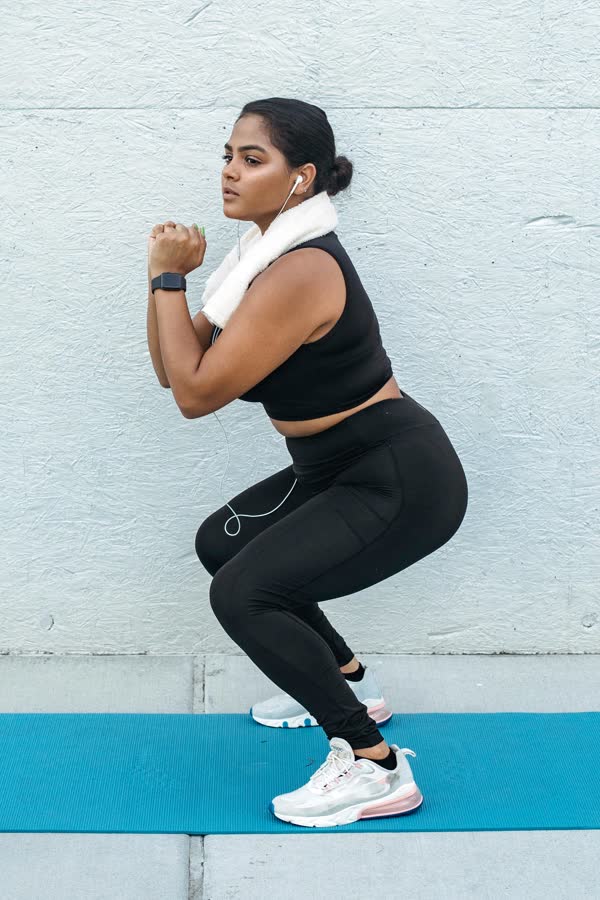
1Feet slightly wider than your shoulders, hands together at your chest.
2Lower by sending your hips back, heels down.
3Drive back up through your whole foot.

Your exercises,
next to ours

Bodyweight work, mobility, your team’s warm‑up: create your own categories and your own exercises inside them, with the same card as the catalog ones.

  1. 01A category of your own

    In the Exercises tab, tap “New category”, give it a name and a one-line description. It shows up with the others, labeled YOURS.

  2. 02Photos and steps

    A name, a one-line summary, photos in sequence from your library or the camera, dose, rest, effort and the What to do steps, reordered by dragging.

  3. 03In plans, like the others

    You assign your exercise to someone and it goes into their exercise plan and the PDF, with photos and steps.

They’re yours: the app never suggests them from an analysis, you choose them.

How an athlete’s plan comes together

Export, share,
import

One exercise, or a whole category, becomes a .runify file with only the exercises and their photos: no people, analyses or videos. You send it like a photo and whoever gets it opens it with Runify Motion.

CancelCategorySave
NameBodyweight
DescriptionLeg and hip strength, no equipment.
Export exercises

A .runify file with only this category’s exercises, to send to a colleague.

Delete category

Bodyweight

Runify file · 4 exercises

AirDropMessagesMailFiles

Import “Bodyweight”?

3 new exercises, 1 updated, Bodyweight category

Import
Cancel
  1. 01Export

    One exercise from its page, with the share icon. A whole category from “Edit”, then “Export exercises”.

  2. 02Share

    AirDrop, Messages, Mail or Files: the iPhone share sheet, no account.

  3. 03Import

    Whoever gets it taps the file and picks Runify Motion: the app says what’s inside before importing. If an exercise is already there, it gets updated instead of doubled.

No account needed: the file goes from one phone to another, like a photo.

For people who work
with others

Your own exercises matter most to people who look after others: write them once, assign them to whoever needs them and pass them to the people you work with.

  • CoachWarm-ups, drills, strength work: set them up once and assign them to each athlete with their own dose.
  • Physical therapistThe exercises you use with patients, with your photos and your words, in their plan as a PDF.
  • A clinic, a teamOne colleague builds a category and sends it to the others: everyone uses the same exercises.

Questions
about exercises

Can I edit the catalog exercises?

No: the catalog is the same for everyone and stays as it is. If you need a different version, create your own exercise in one of your categories.

Does the app suggest my exercises after an analysis?

No. Suggestions from an analysis only come from the catalog, when studies support them. You choose your own exercises.

What’s in the file I send to a colleague?

The category, its exercises and their photos. No people, analyses, videos or plans.

What if my colleague already has those exercises?

They aren’t doubled: the ones they already have get updated, the new ones get added.

Do my own exercises end up in the plan PDF?

Yes, like the catalog ones: with photos, steps, dose and rest.

Measure your
next run

Runify Motion is for iPhone. No subscription, no account: install it, record ten seconds and read your running.

Coming soon to the App StoreEvery feature, item by item